> Plot twist; here was never a gAMA chunk to begin with!
But I do see a gAMA chunk in the file?
> 00 00 00 04 67 41 4d 41 00 03 5b 5e 5c ff 26 78
Which decodes to a value of 2.19998. Conversely, I don't see any bundled ICC profiles (iCCP chunks).
Mind you, I am able to reproduce the different colors, so something is indeed wrong. Chrome (Windows) and the Photos app (MS Store) both present it as a washed out, ghostly image (I wouldn't describe it as foggy, as that to me suggests a blur as well, but alas). In contrast, when I open it in MS Paint (the modern, MS Store app version), I do get saturated colors.
UPDATE:
The gAMA chunk not only exists, its value is wrong! That's the author's issue. Either they authored the image incorrectly, or their authoring software is getting it wrong.
> Aha! Surely this is a gamma correction issue. Chrome must be applying gamma math differently than desktop apps.
And so the author was actually correct here, just the wrong way around. The actual gAMA value stored in the picture is ~2.2, while 0.45455 would be the correct value for a typical sRGB gAMA chunk (1÷2.2). Gamma is 1÷display_exponent, and so the usual "~2.2 gamma" you hear is actually that display_exponent in this context; see: https://www.w3.org/TR/2003/REC-PNG-20031110/#12Encoder-gamma...
After hex editing the gAMA chunk to actually feature the "default" 0.45455 instead, the image now renders correctly everywhere for me.
For those looking to repro, these are the bytes I substituted in:
> 00 00 00 04 67 41 4D 41 00 00 B1 8F 0B FC 61 05
The actual difference then is that apparently some apps simply ignore this chunk and just force 0.45455 anyways.
Right, I guess that's our full story then. I further found some quibbles about that chunk being historically fraught specifically, so many decoders would intentionally ignore it under specific circumstances. I guess this file met the criteria.
gAMA dates back to the days when hardly anyone had a clue about color primaries and colorspaces, let alone commonly tried to synchronize them across displays. It's explicitly ignored by everyone if the file uses any more modern method of signaling colorspace information, so really OP needs actually to write a colorspace to the file (cICP, iCCP, even an sRGB chunk) instead of merely claiming on their blog they wrote a colorspace.
Given the Safari team has been the major driving force behind support for wide gamut in web browsers (for the very obvious reason that all Apple devices ship with wide-gamut displays), I am extremely suspicious of the author’s assertion that Safari is ignoring an embedded ICC profile while Chrome and Firefox are doing the right thing.
I think it’s far more likely that whatever chain of open-source image modification tools the author is using has written out pixel values in a different colorspace than the one named in the embedded ICC profile.
But if the author is absolutely confident in their analysis, they are welcome to file a bug report: https://bugs.webkit.org/
I seem to recall Safari doing the right thing for JPEGs when I was experimenting with publishing red-cyan stereograms [1] where an sRGB (255,0,0) becomes something like (187, 16, 17) on a high gamut display because the sRGB is less saturated than the P3 red. It looks right for a normal photo but for the anaglyph that little bit of blue and green leaks through and makes ghosts. Emedding a P3 profile in JPEG solves the problem. You run into the same problem with print and I ended up addressing those by applying the color profile to the R and L images, doing the anaglyph blend, then attaching the native color profile of the printer -- it probably isn't quite right but the colors are always going to be off for an anaglyph anyway and if I go back to that project I'll design a color grade that pushes the scene away from pure-red and pure-cyan-spectrum colors.
What gets me is that the image he's publishing is not really a PNG kind of image.
Another reader is claiming the gamma correction value is inverted and Firefox is ignoring it. Which seems plausible. I know when I implemented png I had some issues wrapping my head around the gamma correction function.
This might be true but I would hope the web standard is defined enough that browsers can also fail in the same way. Regardless of which browser is the most "correct" here
"correct" in fail, in the same way across browsers? that's hilarious. I forget that throughout the history of the internet the one thing we've been able to depend on is different browsers behaving the same way
Experimental is just the unreleased versions of the browsers. Like a beta or alpha for the next release. So ofc they're usually gonna be ahead.
Every year the major browsers get together and agree on a set of "focus areas" that are paint points for browser interoperability. They've been doing it since 2021. I posted the 2025 results. All browsers reached about 99% support for the selected features
While not disputing in any way the truth of what you're saying: I'm a product manager who leans toward Safari, while the devs I work with use Chrome almost exclusively, and we have an unwritten agreement that when it comes to display/layout issues, I'll double check in Chrome before filing the bug. It's only been Safari-exclusive a handful of times, but that's enough that it's annoying for everyone when it's just me.
I guess the question here has to be: is this actually a bug in Safari? Or is it a bug in Chrome, that people (whether that's your people or third parties) have just been working around in a way that doesn't work in Safari?
And this is a big part of the problem with having Chrome become such a dominant force on the web: people assume that it's correct when Safari displays something differently. And people give instructions and documentation for how to do various things "in HTML/CSS/JS" when they've never tested them in anything other than Chrome, so if Chrome's behavior deviates from the spec there, someone implementing those instructions on Safari will see them fail, and assume incorrectly that it's Safari that's wrong.
Note that I am not saying this is what is happening in any specific case—but because Chrome is so dominant, enough people treat it as the de-facto standard that over time, it becomes a near-inevitability that this will happen in some cases.
I've run into Safari exclusive issues before as well around color transparency, but tbh I'm surprised it comes up that often. Modern IDEs support linters that warn you whenever you are using a CSS feature that isn't supported by all modern browsers. You can even set the year you wanna support (e.g. all major browser versions since 2023). Between that awesome tooling and rapidly improving browser support for web standards, these kinds of issues feel extremely rare.
Except for printing. Printing has and seemingly always will f'n suck. Unfortunately WPT doesn't have a good way of testing for print-related features
If I’m not mistaken, they only select a couple of features to work on every year—the ones they already agree on to begin with—and the high interoperability shown in the link only concerns those few select features.
For example, JPEG XL has been proposed for Interop a few times before, but never selected. Therefore, Safari remains the only major browser to support it so far.
And yes JPEG XL support is often the most requested feature and the major browsers have responded. Google and Firefox are both willing to take it on but Firefox's biggest concern is with the reference decoder which has some major security flaws. They basically want to wait until libjxl/jxl-rs is performant enough
It took Mozilla two years to decide they were 'neutral', citing a range of vague considerations. It took them another year to say that actually their 'primary concern has long been the increased attack surface of the reference decoder', without pointing out any specific major security flaws, and that they're okay with an implementation in Rust… which had already been proposed by the JXL team many months ago. And let's not even talk about Chrome.
Hopefully they've both finally settled on a reasoning and will stick with it until the end.
Yeah I guess I wasn't following that closely but I know their previous position was that there wasn't enough benefits to .jxl to justify supporting another raster image standard.
There's been a lot of major changes since then though. Like Apple fully adopting JPEG XL and PDF announcing support as well.
I know many in the industry also think that AV2 might be a huge game changer and wanna wait and see how that ends up before choosing what standards to adopt.
You can try. I'm on Safari Version 18.6 (20621.3.11.11.3) [Seqouia 15.6.1] on my Mac, unsure of the version in my iPhone and iPad, but all of them ignore the ICC profile.
Again, my suspicion is that you are actually seeing the ICC profile being applied correctly, and it is the pixel values in your image that are incorrect.
A good test would be to run a single 100% sRGB red pixel through your image processing pipeline, and then inspecting the resulting PNG file in a hex editor to see what value is encoded.
Interesting: for me, the image quadrants display correctly in Safari, but there is a horizontal white line between the top and bottom left quadrants. You're not seeing that?
I see the white line on mobile, but not on desktop, though my OS versions are wildly different too, so hard to narrow down exactly what it might be there.
Apple essentially invented color matching on personal computers back in the classic Mac OS days; it's hard to believe after all this time, they're not dealing with color correctly.
The WebKit blog from 2016:
WebKit color-matches all images on both iOS and macOS. This means that if the image has a color profile, we will make sure the colors in the image are accurately represented on the display, whether it is normal or wide gamut. This is useful since many digital cameras don’t use sRGB in their raw format, so simply interpreting the red, green and blue values as such is unlikely to produce the correct color. Typically, you won’t have to do anything to get this color-matching. Nearly all image processing software allows you to tag an image with a color profile, and many do it by default.
"Chrome was not wrong. it's doing proper color management by respecting the embedded ICC profile"
That's not how color management is meant to work. The color profile tells you how the data is saved. If you are displaying it using a different color profile, then it needs to be converted. Displaying P3 in sRGB is doing it wrong. How can you conclude Chrome "was not wrong"?
> If you are using Netscape(*) you will probably see the happy cow above.
Internet Explorer-users on Windows and Mac, however, will see a dead flat elephant. And this is due to a strange browser-feature.
> (*) or MSIE for Solaris
Yes, Netscape and MSIE on Solaris. This goes back to the 1990s:
> (1) The PNG contains an embedded ICC color profile* (likely Display-P3 or another wide-gamut color space),
Why didn't you check? From what I can tell when I did, there is no color profile in the original image so it'll default to sRGB. This really looks like a gamma issue of some sort (see @perching_aix's comment).
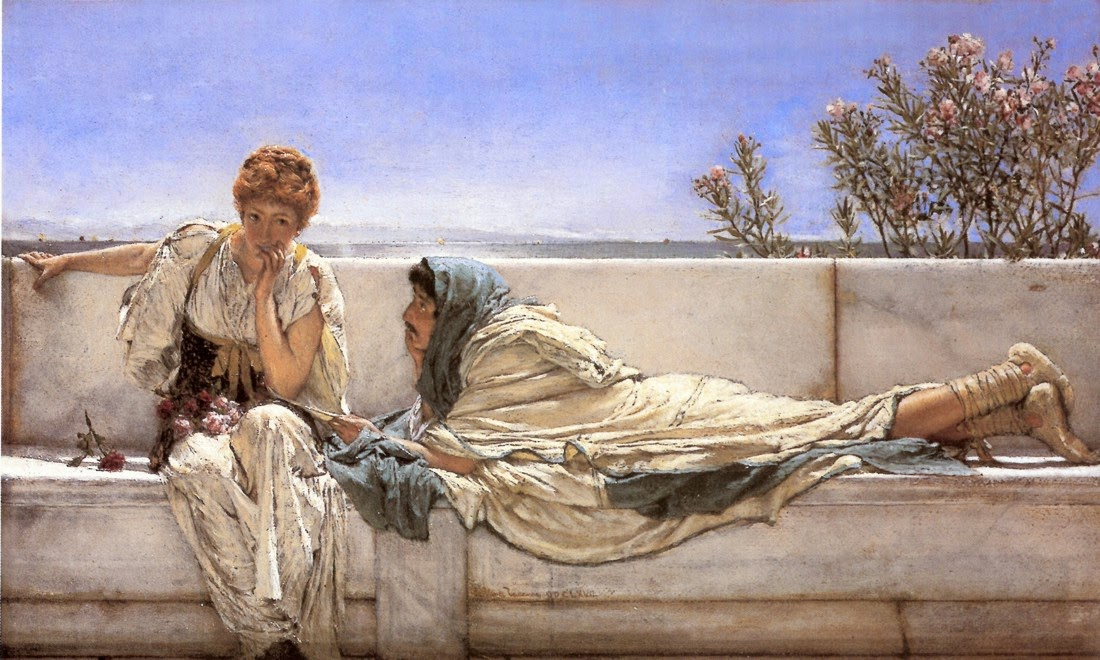
>If you are using Firefox or a Chromium browser (for me Google Chrome 143.0.7499.170), it's very likely that you are seeing a very foggy version of the painting, however, if you download the image and open it with your default image viewer (or open it in the Safari browser), you will see the image normally.
Why does the page 404 when opening the image? Bandwidth issue? Firefox issue? (Yes, the username is a joke - I don't work for Firefox I just use it and thought this would be a funny name)
they wayback machine doesn't have a copy of https://lr0.org/i/2025-12-27_18-21-51_screenshot.png or i was going to link to it in the post here usually, i'd try to balance a blunt reply like this with they wayback version
this picture does show differently in Chrome and Safari, but if I analyze it using the methods you did I arrive at a different result - I don't see an iHDR chunk there, instead I see a gAMA chunk and if I remove it with pngcrush it shows normally in Chrome.
Image looks the same to me in Firefox (Linux) and Falkon as it does in image viewers (Gwenview and GIMP). Which in all cases seems kind of washed out, so I think that's the "smoky," not "normal" image but I'm not sure.
Very interesting! I tried holding down on the image to open the context menu and open it in a new tab. In the context menu, I could see a bright and vivid thumbnail of the image, but when I clicked "Press image in a new tab" it showed the same washed out image as on the web page. Interesting!
(I'm running Brave Mobile if that matters. I'm curious if the thumbnail is rendered differently on other mobile web browsers as well?)
I was wondering why, in my Firefox, the image appears saturated when embedded on the website, but opening it in a new tab by a direct URL shows an unsaturated version. The `img` tag on the website seems to be styled with `mix-blend-mode: multiply`, which makes the image darker because the background is #f0f0f0.
> This is an arbitrary picked image, hashed internally and mapped to this page. You will have to see it as long as you in my website. hash: eb46e097… → idx 29/166
What is this nonsense about? I’m on a tablet and over 1/3rd of my screen is basically telling me to go fuck myself?


> Plot twist; here was never a gAMA chunk to begin with!
But I do see a gAMA chunk in the file?
> 00 00 00 04 67 41 4d 41 00 03 5b 5e 5c ff 26 78
Which decodes to a value of 2.19998. Conversely, I don't see any bundled ICC profiles (iCCP chunks).
Mind you, I am able to reproduce the different colors, so something is indeed wrong. Chrome (Windows) and the Photos app (MS Store) both present it as a washed out, ghostly image (I wouldn't describe it as foggy, as that to me suggests a blur as well, but alas). In contrast, when I open it in MS Paint (the modern, MS Store app version), I do get saturated colors.
UPDATE:
The gAMA chunk not only exists, its value is wrong! That's the author's issue. Either they authored the image incorrectly, or their authoring software is getting it wrong.
> Aha! Surely this is a gamma correction issue. Chrome must be applying gamma math differently than desktop apps.
And so the author was actually correct here, just the wrong way around. The actual gAMA value stored in the picture is ~2.2, while 0.45455 would be the correct value for a typical sRGB gAMA chunk (1÷2.2). Gamma is 1÷display_exponent, and so the usual "~2.2 gamma" you hear is actually that display_exponent in this context; see: https://www.w3.org/TR/2003/REC-PNG-20031110/#12Encoder-gamma...
After hex editing the gAMA chunk to actually feature the "default" 0.45455 instead, the image now renders correctly everywhere for me.
For those looking to repro, these are the bytes I substituted in:
> 00 00 00 04 67 41 4D 41 00 00 B1 8F 0B FC 61 05
The actual difference then is that apparently some apps simply ignore this chunk and just force 0.45455 anyways.